
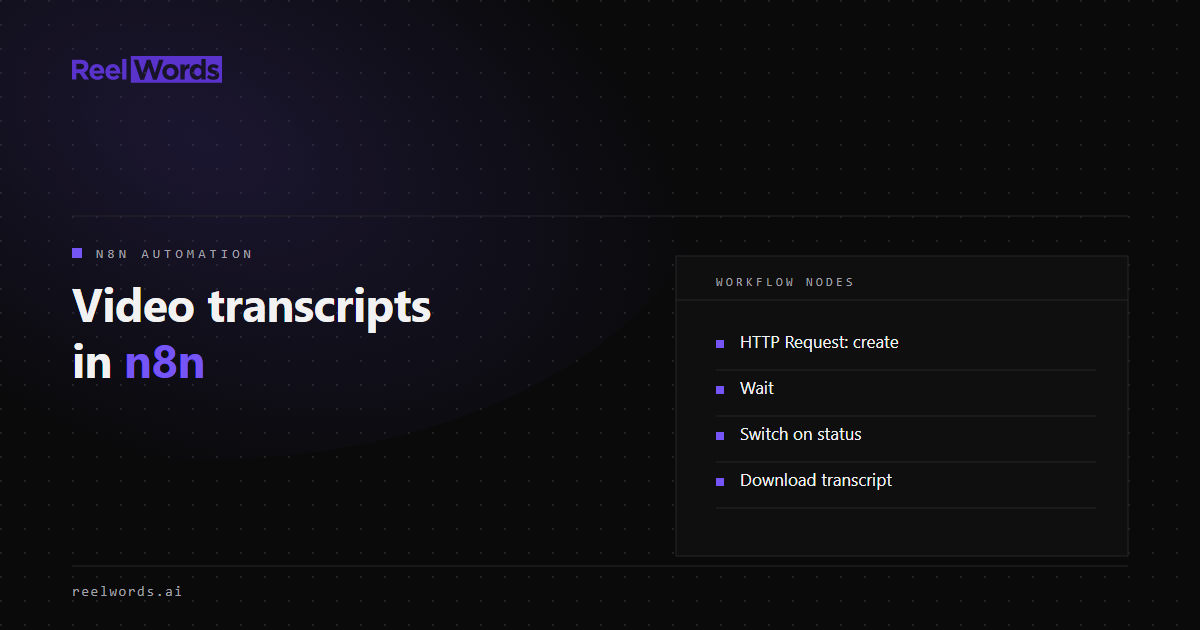
An n8n video transcription workflow needs four things: a trigger that supplies a video URL, a request that starts the transcription, a loop that waits for it to finish, and a step that does something with the text. n8n has no dedicated ReelWords node, and it does not need one. The built-in HTTP Request node covers every call.
This guide builds the workflow node by node. It uses the ReelWords transcript API, which accepts public URLs from YouTube, TikTok, Instagram, X, and Facebook, and direct links to media files.
How the n8n video transcription workflow fits together
Transcription is asynchronous. You create a job, receive an ID, and ask for the result later. The API does not send webhooks, so the workflow polls. In n8n that is a small loop:
| # | Node | Purpose |
|---|---|---|
| 1 | Trigger | Provides videoUrl |
| 2 | HTTP Request | Creates the transcript job |
| 3 | Wait | Pauses before checking |
| 4 | HTTP Request | Fetches the job status |
| 5 | Switch | Routes on complete, failed, or still running |
| 6 | HTTP Request | Downloads the transcript |
| 7 | Your destination | Drive, Notion, Slack, a database, an AI node |
The "still running" output of the Switch connects back to the Wait node. That connection is the loop.
Step 1: Store the API key as a credential
In n8n, create a new credential of type Header Auth:
- Name:
x-api-key - Value: your ReelWords key, which starts with
rw_
Using a credential keeps the key out of the workflow JSON, which matters if you export or share workflows. In each HTTP Request node below, set Authentication to Generic Credential Type, choose Header Auth, and select this credential.
Step 2: Pick a trigger
Any trigger works as long as it outputs a video URL. Common choices:
- Manual Trigger with a Set node, for testing.
- Webhook, so another system can post
{ "videoUrl": "..." }. - Schedule Trigger plus a spreadsheet or database read, to process new rows.
- RSS Read, to pick up new uploads from a channel feed.
The rest of this guide assumes the incoming item has a videoUrl field.
Step 3: Create the transcript job
Add an HTTP Request node:
- Method:
POST - URL:
https://api.reelwords.ai/api/v1/transcript-jobs - Authentication: the Header Auth credential from step 1
- Send Body: on, Body Content Type: JSON
- Body:
{
  "url": "{{ $json.videoUrl }}",
  "language": "en"
}
language is an optional hint; remove it if your videos vary. The response is a job object with an id and status: "started". Rename this node to Create Job so later expressions can refer to it.
Step 4: Wait, then check the status
Add a Wait node set to resume after a time interval of about 10 seconds.
Then add a second HTTP Request node named Get Job:
- Method:
GET - URL:
https://api.reelwords.ai/api/v1/transcript-jobs/{{ $('Create Job').item.json.id }} - Authentication: the same credential
The response includes status, which is one of started, processing, complete, or failed.
Step 5: Route on the status
Add a Switch node on {{ $json.status }} with three outputs:
completegoes on to the download step.failedgoes to an error branch. Send yourself thefailureReasonandfailureMessagefields, or write them back to the source row.- Fallback (anything else) connects back to the Wait node.
An If node works too if you only want two branches, but handling failed separately is what stops a private or deleted video from looping forever.
Add a guard against endless loops
A loop with no exit condition can run until your execution quota is gone. Add an attempt counter: an Edit Fields node on the fallback branch that sets attempt to {{ ($json.attempt || 0) + 1 }}, and an If node that stops when attempt exceeds a limit such as 60. With a 10 second wait, that caps the workflow at about ten minutes.
Step 6: Download the transcript
On the complete branch, add an HTTP Request node:
- Method:
GET - URL:
https://api.reelwords.ai/api/v1/transcript-jobs/{{ $('Create Job').item.json.id }}/download - Send Query Parameters:
format=srt - Response Format: Text to use the transcript in later nodes, or File to get binary data you can upload
format accepts srt, vtt, txt, and txt_timestamps. Use txt when the next step is an AI node or a document, and srt or vtt when it is a video player or editor. The differences are covered in SRT vs VTT.
You can also skip the download. The Get Job response already contains result.segments, an array of objects with start, end, and text, which is easier to work with in a Code node.
Step 7: Send the text somewhere useful
Some destinations that work well:
- Google Drive or S3: store the SRT next to the source video.
- Notion or Airtable: attach the transcript to a content calendar row.
- An AI node: summarise the transcript, extract quotes, or draft a post. Feed it the
txtoutput. - Slack or email: notify the team with the title and a link.
Variations
- Batch runs. When a trigger returns many rows, add a Loop Over Items node so jobs are created in small batches and you stay within your plan allowance. Call
GET /api/v1/transcript-jobs/usagefirst to see what remains. - Captioned video output. The same pattern works for caption renders:
POST /api/v1/caption-jobswith avideoUrland a style, pollGET /api/v1/caption-jobs/{id}, then fetch the video. See the API-first caption pipeline guide and the available caption styles. - Other automation tools. Zapier and Make follow the same create, delay, check, download shape with their own webhook and delay steps.
- Code instead of nodes. If the workflow outgrows a visual builder, the Python tutorial implements the same loop in about sixty lines.
Troubleshooting
| Symptom | Likely cause | Fix |
|---|---|---|
401 on every request | Credential header name is wrong | The header must be exactly x-api-key |
400 on create | videoUrl is empty or not a URL | Inspect the trigger output; check the expression |
402 on create | Plan allowance used up | Check usage, then see pricing |
409 on download | Download ran before the job completed | Route only the complete output to the download node |
Job ends as failed | Video is private, removed, or restricted | Log failureReason and skip the item |
FAQ
Is there a ReelWords node for n8n?
No. The workflow uses n8n's built-in HTTP Request node with a Header Auth credential, which is all the API requires.
How do I poll an API in n8n?
Connect a Wait node to an HTTP Request node, then a Switch or If node that checks the status. Route the "not finished" output back to the Wait node, and add an attempt counter so the loop always ends.
Can n8n transcribe a YouTube or TikTok link?
Yes, by sending the link to a transcript API that accepts page URLs. n8n itself does not transcribe audio.
Does the workflow need a webhook from the API?
No. The ReelWords API does not send webhooks; the workflow polls the job endpoint.
How long should the Wait node pause?
Around 10 seconds is a reasonable start. Videos with native captions finish quickly, and longer videos that need speech recognition take more time, which is why the attempt limit matters.
Can I use this on n8n Cloud and self-hosted n8n?
Yes. The nodes used here are core nodes available in both.
What can I do with the transcript in n8n?
Store it, attach it to a record, or pass it to an AI node for summaries and drafts. For agent-driven workflows, the same operations are available through MCP; see getting transcripts with an AI agent.
Ready to build it? Create an API key, read the API docs, see ReelWords features, or compare plans on pricing.