
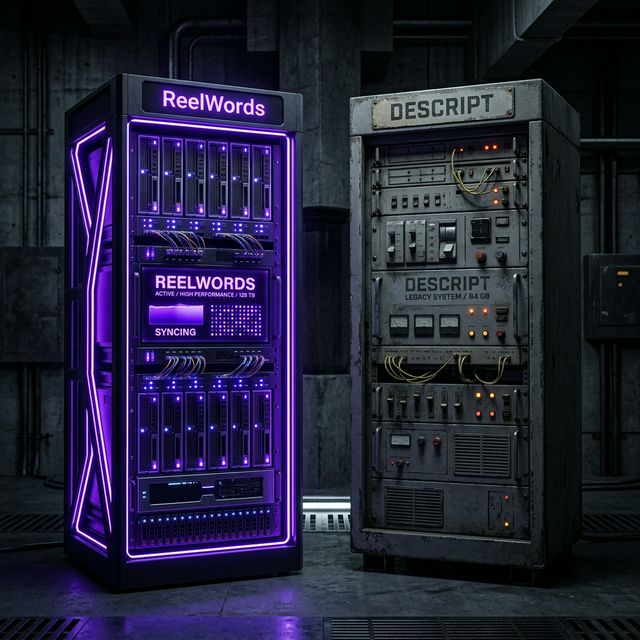
Descript is one of the most capable video editing tools available. If you produce podcasts, edit long-form YouTube content, or want to cut dialogue by deleting text in a transcript, it earns its place in the workflow.
But if your main goal is polished, styled captions for Instagram Reels, TikTok, and YouTube Shorts, Descript is the equivalent of renting a full recording studio when you need a microphone. The workflow is longer, the learning curve is steeper, and a significant part of what you pay for has nothing to do with short-form caption work.
This guide is for creators who already know Descript, want to be honest about what it does well, and are looking for a more focused alternative for the captioning side of their output.
What Descript does well
Being fair about this matters, because the right tool depends on your actual workflow.
Descript is excellent for:
- Transcript-based editing: cut dialogue by editing text, not a timeline
- Long-form video: podcasts, YouTube interviews, documentary-style content
- Multi-track audio: overdub, filler word removal, studio sound processing
- Screen recording workflows: tutorials, product walkthroughs, demos
If any of those are your primary content type, Descript's depth is justified.
Where Descript falls short for short-form creators
Short-form video has different demands. You are producing 30 to 90 second clips, often multiple times per week, and the visual quality of your captions directly affects retention and reach.
Pricing for what you actually use: Descript's plans bundle transcription and editing features. Compare the plan that covers your actual caption volume and exports.
Caption styling: Descript offers custom captions. Test its controls with your preferred short-form style and compare the editing steps with a caption-focused workflow.
Speed at volume: Transcript-based editing is powerful for long-form but adds steps for short clips where you need clean, styled captions fast.
Vertical video defaults: Captions built for 9:16 video have specific placement, font sizing, and safe zone requirements that differ from 16:9 desktop editing. Descript's defaults were not built around Reels or Shorts formats.
What to look for in a Descript alternative for captions
When evaluating any tool as a caption-focused Descript alternative, check for:
- Accurate AI transcription that handles natural speech and fast delivery
- Animated caption styles designed for short-form, not repurposed subtitle templates
- Word-level emphasis controls so you can highlight keywords rather than just displaying text
- Safe zone placement for vertical video without manual repositioning every time
- Fast turnaround from upload to export without a long editing session in between
ReelWords as a Descript alternative for caption work
ReelWords is built for one specific outcome: captions that look intentional on short-form video without requiring a full editing workflow to get there.
The sequence is:
- Upload your finished short-form clip
- ReelWords transcribes and generates the styled caption overlay automatically
- Review timing, wording, and emphasis
- Edit where the output needs adjustment
- Export
The important difference from Descript's approach is that you are reviewing and refining rather than assembling from a transcript. For short-form content at volume, that sequence saves significant time per video.
The animated captions available include word-by-word highlight, color emphasis on keywords, background pill, and motion presets built for Reels and TikTok safe zones. You are not adapting desktop subtitle templates to a mobile frame. The starting point is already calibrated for vertical.
For pricing details, the plans page covers what is included at each tier.
When to keep Descript
There are clear cases where switching entirely does not make sense:
- Your main content is podcasts, long interviews, or long-form YouTube
- You rely on overdub or silence removal at scale
- Your team edits collaboratively in a shared transcript workspace
If your workflow matches those, Descript is worth keeping. If you are producing short-form video at volume and caption quality is affecting your retention metrics, a more focused tool for that specific job is worth testing.
Many creators use both: Descript for long-form work and ReelWords specifically for short-form clip captioning. They do not conflict.
Descript vs ReelWords: side-by-side
| Descript | ReelWords | |
|---|---|---|
| Best for | Podcasts, long-form, transcript editing | Short-form captions: Reels, TikTok, Shorts |
| Caption styling | Basic, requires additional work | Animated, emphasis-ready, mobile-optimized |
| Workflow | Transcript-based editing | Upload → generate → review → export |
| Vertical video | Not optimized by default | Built for 9:16 from the start |
| Pricing model | Full editing suite | Caption-focused |
FAQ
Is there a free Descript alternative for captions?
ReelWords has a free tier. You can generate and preview captions without committing to a paid plan. See pricing for what is included at each level.
Can I use ReelWords alongside Descript?
Yes. Many creators use Descript for long-form editing and ReelWords for short-form caption work. The tools do not overlap in a way that creates conflicts.
Does ReelWords support vertical video formats?
Yes. ReelWords is built for 9:16 vertical video. Caption placement, safe zones, and font sizing are calibrated for Reels, TikTok, and Shorts by default.
What caption styles does ReelWords offer?
Word-by-word highlight, color emphasis on keywords, background pill, slide-in animations, and minimal documentary style are among the available options. See the features page for the full range.
How accurate is ReelWords transcription?
ReelWords uses AI transcription optimized for spoken short-form content. You can review and correct any errors before export, and the editor makes that review fast.
What is the core difference between Descript and ReelWords?
Descript is a full-featured video editing platform with transcript-based editing at its core. ReelWords is a caption-focused tool built specifically for short-form video volume. If your output is Reels, TikTok, or Shorts, ReelWords is the more direct path from upload to polished caption export.
Try a caption workflow built for short-form
If you are working around Descript's limitations to get short-form captions where you want them, a tool built specifically for that use case is worth a look.
ReelWords handles the dynamic captions, mobile-safe placement, and fast export that short-form content requires. Review the plans, check the FAQ for details on output and workflow, and see whether it fits your production schedule.
Related comparisons: the Veed alternative and the best auto caption app.