
The Problem With Watching at 2x Speed
A 45-minute YouTube video usually contains about six minutes of information you actually need. Watching at double speed still costs you 22 minutes, and you finish without a written record of anything.
Skimming the transcript is better, but a raw transcript of a 45-minute video runs 7,000+ words with no structure, no hierarchy, and no indication of which parts matter. You end up reading the whole thing anyway.
AI summarization solves the middle problem: it reads the full transcript for you and returns a structured breakdown you can scan in under a minute.
How to Summarize a YouTube Video in ReelWords
The flow is deliberately short:
- Open the Video Summarizer in ReelWords.
- Paste a YouTube URL — a standard
watch?v=link, ayoutu.beshort link, or a Shorts link all work. - Click Generate Summary.
- ReelWords pulls the transcript, then runs it through an AI model to produce the structured output.
- Copy the summary, or keep the full breakdown on screen while you work.
There's no browser extension to install and nothing to download. It runs in the browser against a public video URL.
What You Actually Get Back
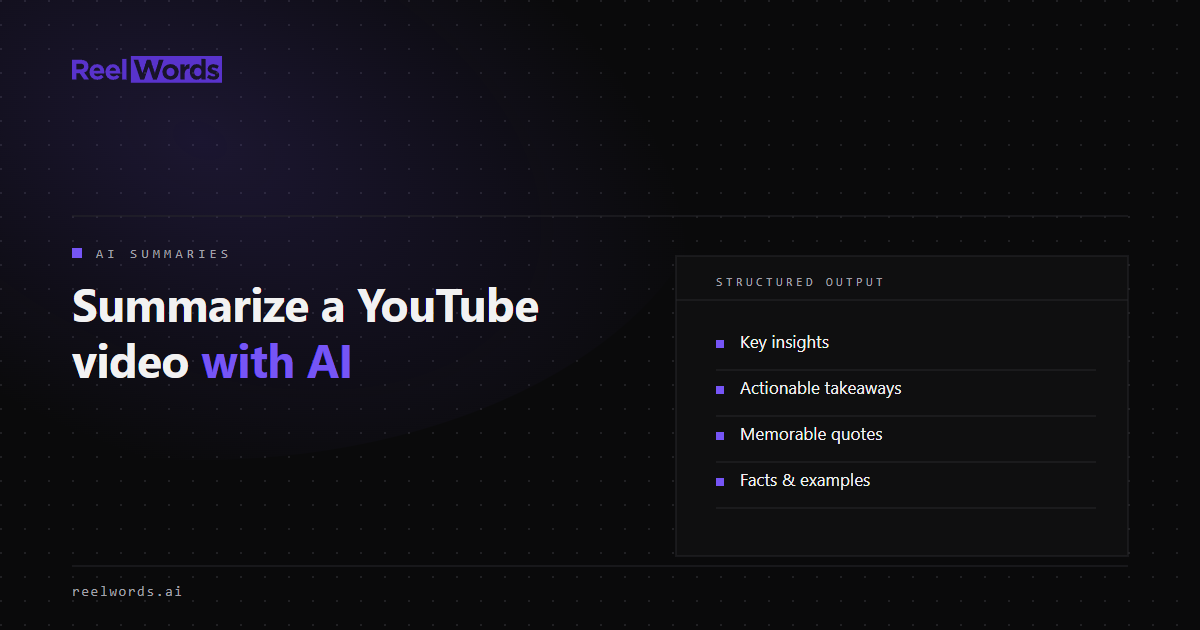
This is where a good summarizer separates from a bad one. A single paragraph of "this video is about marketing" is useless. ReelWords returns a structured object with distinct sections:
| Section | What it contains |
|---|---|
| Summary | A prose overview of the video's argument and content |
| Key insights | The main points, extracted as a scannable list |
| Actionable takeaways | Specific things you could go do, separated from general observations |
| Memorable quotes | Direct lines worth citing or clipping |
| Facts & examples | Concrete data points, studies, and cases mentioned |
| Category & tags | Topical classification for filing and search |
| Tone analysis | How the content is delivered — instructional, conversational, promotional |
| Estimated read time | How long the summary itself takes to read |
The separation between key insights and actionable takeaways matters more than it sounds. Most videos mix "here's a thing that's true" with "here's a thing you should do," and pulling those apart is the difference between a summary you read and a summary you use.
Which YouTube Links Work
ReelWords summarization accepts YouTube video URLs in these forms:
https://youtube.com/watch?v=VIDEO_IDhttps://youtu.be/VIDEO_IDhttps://youtube.com/shorts/VIDEO_IDhttps://youtube.com/embed/VIDEO_ID- A bare 11-character video ID
The video needs to be public and accessible for the transcript step to work. Private, unlisted-without-access, or age-gated videos can't be resolved — that's a platform restriction rather than a tool limitation.
Summarization is currently YouTube-only. If you need to work with a TikTok, Instagram Reel, or Facebook video, use the Transcript Extractor instead — it supports a much wider range of public social video URLs and gives you the raw text to work with.
Why Repeat Summaries Are Instant
ReelWords caches summaries globally by video ID. If a video has already been summarized — by you or by anyone else — the request returns the stored result immediately.
Two useful consequences:
- It's fast. Popular videos often return in under a second.
- It doesn't count against your monthly allowance. Cache hits are served before any quota check runs, so pulling up a previously summarized video is free.
This makes the summarizer genuinely usable for research where you revisit the same sources repeatedly.
What It Costs
Every ReelWords account includes 3 AI summaries per month on the free plan. That's enough to test the workflow properly and cover occasional research.
If you need more volume, Pro includes 50 summaries per month, and there's a 30-summary top-up pack for $5 if you have a heavy month and don't want to change plans. Cached summaries don't draw down any of these numbers.
Live limits always reflect your actual account — check pricing for the current plan structure.
When AI Summarization Is the Wrong Tool
Being honest about this makes the tool more useful, not less:
- Highly visual content. A summary is built from the transcript. If the value of the video is in a screen recording, a diagram, or a physical demonstration, the spoken words won't capture it.
- Content where nuance is the point. Debates, interviews with careful hedging, and legal or medical explanation lose important qualification when compressed.
- Anything you need to quote precisely in a formal context. Use the memorable quotes as pointers, then verify against the source before publishing.
- Videos with no speech. Music, ambient footage, and silent tutorials have nothing to transcribe.
For lecture content, podcast episodes, conference talks, tutorials, and interviews — the bulk of long-form YouTube — summarization does the job well.
Pairing Summaries With Transcripts
Summaries and transcripts answer different questions. A summary tells you *what the video said*. A transcript tells you *exactly how it was said*, with timestamps.
The productive pattern is to summarize first to decide whether the video matters, then pull the full transcript only for the sources that survive that filter. That's a lot less reading than transcribing everything up front.
FAQ
Can I summarize a YouTube video without installing an extension?
Yes. ReelWords runs in the browser. You paste a YouTube URL into the Video Summarizer and get the summary back — there's nothing to install.
Does ReelWords summarize TikTok or Instagram videos?
Not currently. AI summarization accepts YouTube URLs only. For TikTok, Instagram, and Facebook video, use the Transcript Extractor to get the text, which supports a much wider range of public social URLs.
How many YouTube videos can I summarize for free?
The free plan includes 3 AI summaries per month. Pro includes 50 per month, and a $5 top-up pack adds 30 more. Summaries already cached from a previous request don't count against your limit.
Does it work on YouTube Shorts?
Yes. Shorts URLs (youtube.com/shorts/...) are supported, the same as standard videos. Very short clips produce correspondingly short summaries.
How long does a summary take to generate?
Cached videos return almost immediately. A new video needs its transcript pulled first, which typically takes several seconds to under a minute depending on length and whether YouTube already publishes a caption track.
Can I summarize videos automatically through an API?
Yes. ReelWords exposes a summarization endpoint for automated workflows. See the YouTube summary API guide or the API reference.
Try It on Something You've Been Putting Off
Find the 40-minute video sitting in your watch-later list, paste the link into the Video Summarizer, and see whether the key insights and actionable takeaways tell you what you needed to know.
If they do, you just got 40 minutes back. If they don't, you now know the video is worth watching properly — which is also useful information.
And when a video turns out to be worth clipping, the animated captions are one step away in the same account. Plan limits are on pricing, and the FAQ covers the workflow details.